İletişim Formu

Ad

E-posta *

Mesaj *

3 Ocak 2020 Cuma

POWTOON

PowToon is Web-based animation software that allows you to quickly and easily create animated presentations with your students by manipulating pre-created objects, imported images, provided music and user created voice-overs. PowToon is used by businesses to create engaging, creative presentations that capture attention, and can be similarly used for educational assessment and content delivery. There is a free version available, as well as paid subscription that allows for more features.

Quality and Effectiveness
PowToon can be used by educators to create animated presentations of content for students to view. Educators can also use PowToon as a form of assessment by asking students to create their own animations. Using Audio/Video rather than standard presentation tools moves users away from over-reliance on text to convey ideas and users are able to create more engaging experiences for their audience. The provided objects and music are high quality and varied enough to allow for flexibility and creativity. The added ability to import images and create voice overs allow users to add their own touch to the animation.
Ease of Use
Creation of an account is easy and straightforward, and getting started is easy as well. There is no software to download, as PowToon is web-based. PowToon provides many customizable templates for beginning users, as well as a blank canvas for the more daring. Learning to use PowToon is as easy as learning any other presentation tool, but the end product is much more exciting. Simple drag and drop of text, props, characters and markers makes creation quick and easy.


Creative Use of Technology
PowToon uses drag-and-drop of built-in features, props and characters, and easy searching of Creative Commons Licensed images from Flickr. PowToon, still in Beta form, has a growing list of video tutorials and a growing knowledge base. Users have two options for display of their work in the free version: they can export the animation to YouTube, or they can play the animation in PowToon in SlideShow mode, which allows for pauses so the presenter can interject further information. A new tool, Slides, is in the works as well. PowToon has made it easy for users to create professional- looking animations with little to no experience.

HOT POTATOES

Hot Potatoes is shareware from Half-Baked Software which is based at the University of Victoria in Canada. It is a program that allows you to make six different types of self-test exercises. These exercises can also quite easily be imported into an LMS like Moodle to be used for assessment of learning content. Hot Potatoes was originally meant to create language exercises, and some HotPot exercises (like jumbled sentence) have little use otherwise. However, most exercises can be used for any subject. Hot Potatoes is shareware. That means you can freely download the program from the Internet (at Hhttp://web.uvic.ca/hrd/hotpot/ ). General description of the program Exercises are made in two steps. First, you create the so-called ‘data file’ which has a Hot Potato XML extension (like .jcw or .jcl). This file is useless without the Hot Potatoes program but is used to edit the exercises later. The exercises are exported to web-based exercises (which have the HTML extension .htm) which can be displayed anywhere on the Web. Note that you CANNOT RELOAD THE WEB PAGES INTO THE PROGRAM, so it is important to save your data files. Before creating a Hot Potato exercise, you need to think about what you want to achieve with it. Do you want students to learn vocabulary items? Then the gap text (JCloze) or the short answer quiz (JQuiz) are the best choices. If you wish to test text comprehension, the multiple choice (JBC) or matching (JMatch) exercises are more suitable.


QUIZLET

Quizlet’s mission is to help students (and teachers) practice and master what they’re learning.quizlet-logo
In Quizlet, information is organized into “study sets” that users like teachers or students add to their accounts.
When using Quizlet, students log in and choose the appropriate study set for the concepts they need to review. These can be created by a teacher or generated by other users.
Because of the flexibility and customization available, Quizlet can be used in any grade level and any type of class.
That means whether you’re a middle school career readiness teacher or a high school health science teacher, Quizlet can help your students study.

Here is my mini Quizlet for you:

KAHOOT

WHAT IS KAHOOT?
If you’re not familiar with Kahoot, it’s a free web-based program that allows teachers to pose questions to children who then respond from a selection of answers electronically on their own devices. It records the answer each child gives to a question, as well as how quickly they respond, so teachers can use the data to assess their children. Ultimately, it a fun and engaging tool that can be used to challenge and assess learners.
There are different types of Kahoots available; quizzes, surveys, jumbles, discussions and challenges. In this blog, the first in our Kahoot series, we’ll be looking at Kahoot quizzes and how teachers could use them to support learners in mathematics.

What is a Kahoot quiz?

A Kahoot quiz is a series of questions with between two to four multiple-choice answers to choose from. Teachers can create their own quizzes, duplicate and edit others created and shared by other teachers, or simply play Kahoots created by other users.
Teachers set a game to play and a game pin is created and displayed on screen. Children connect to the game by going to https://kahoot.it and entering the game pin into the first box, then their name into the second. Once all children have connected, you’re ready to start the quiz.
Here is my Kahoot quiz link:
https://create.kahoot.it/share/vocabulary/61a8c74d-5706-483e-acd2-c95ef5e28540

SOCRATIVE

What is Socrative?
Socrative is a formative assessment tool that helps teachers and learners to assess understanding and progress in real time in class through the use of quizzes, questions and reflection questions.


Here is my quiz link:

https://b.socrative.com/teacher/#import-quiz/43859214

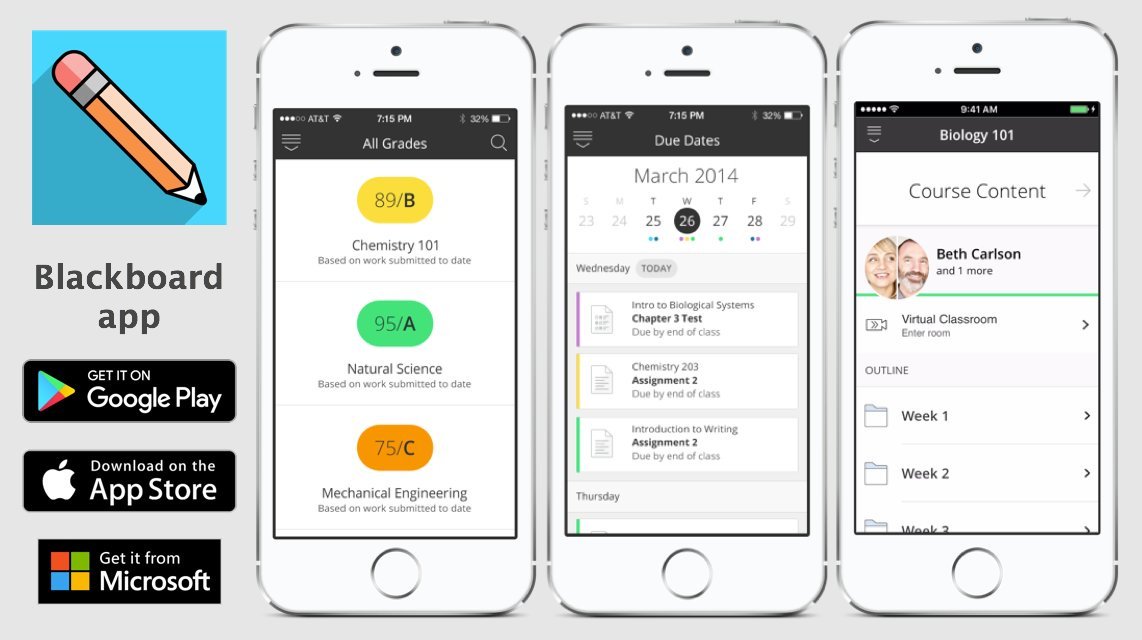
BLACKBOARD

What is Blackboard

1.
is a virtual learning environment that you can access on and off a campus. 
2.
It is online platform that provides a space for each course taught each semester. Student enrollments, grades, courses, and faculty assignments are administered automatically by the system. 
3.
A teaching and learning system that is used to deliver online resources and learning activities. Other course management systems include eCollege, Vista (formerly WebCT), Desire2Learn, LearningSpace, and Virtual-U. 
4.
A popular LMS used in universities. .
5.      A shared repository of problems, partial solutions, suggestions, and contributed information.               The blackboard can be seen as a dynamic “library” of contributions to the current problem that            have been recently “published” by other knowledge sources
6.
A learning management system (LMS) used by many universities (see “learning management system” for more detail).
7.      Virtual online platform that supports learner engagement, interaction, and learning through                    technology and educational services
8.      A teaching and learning system that is used to deliver online resources and learning activities.             Other learning systems include Learning Space, Virtual-U and WebCT.
9.      Virtual online platform that supports learner engagement, interaction and learning through                    technology and educational services.
10.
This is an enterprise software company with its corporate headquarters in Washington, and is primarily known as a developer of education software, in particular learning management systems. The company provides education, mobile, communication, and commerce software and related services to clients, including education providers, corporations and government organizations.
11.
A learning management system, first released in 1997. The institution in this case study migrated away from Blackboard towards Canvas, another learning management system. 
12.
Develops and licenses software applications and related services to over 2200 education institutions in more than 60 countries. These institutions use Blackboard software to manage e-learning, transaction processing and e-commerce, and online communities. 
13.    An e-learning platform and online course management system used extensively in colleges,               universities, and other educational institutions. Blackboard supports online tools such as                   discussion forums, email, live chat, and whiteboarding, as well as content in various formats


Here is the link of article I read about Blackboard


MOODLE

Moodle is an acronym for "Modular Object-Oriented Dynamic Learning Environment." It is an online educational platform that provides custom learning environments for students. Educators can use Moodle to create lessons, manage courses, and interact with teachers and students. Students can use Moodle to review the class calendar, submit assignments, take quizzes, and interact with their classmates. Moodle is used by thousands of educational institutions around the world to provide an organized and central interface for e-learning. Teachers and class administrators can create and manage virtual classrooms, in which students can access videos, documents, and tests. Course chat allows students to communicate with the teacher and other students in a secure environment. Each Moodle classroom and course can be customized by the class administrator. For example, one teacher may choose to provide a wiki that students can edit, while another may opt to use a private web forum for online discussions. Some teachers may use Moodle to simply provide documents to students, while others may use it as the primary interface for quizzes and tests. Individual class sizes can be scaled from a handful of students to millions of users. In order to create a Moodle learning environment, the Moodle software must be downloaded and installed on a web server. The Moodle platform is open source and is built using a modular design, so advanced users can modify the platform as needed. Individual users, such as teachers and students, can sign up for an account on the Moodle server and access content through either the web interface or the "Moodle Desktop" application.


Here is the  link of the article I read about Moodle: